
How to make motion zones in the app to prevent and reduce false motion alerts?
The zones are selected, and the motion switch is on.
Step1:
Go to settings and click it.
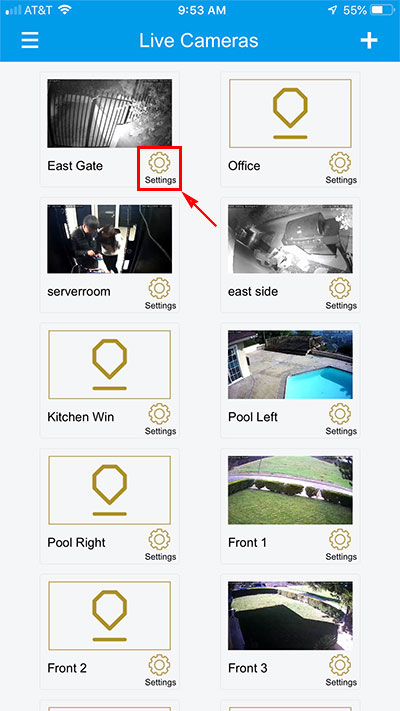
Step2:
Click ‘Motion Detection’ in the Camera Properties.
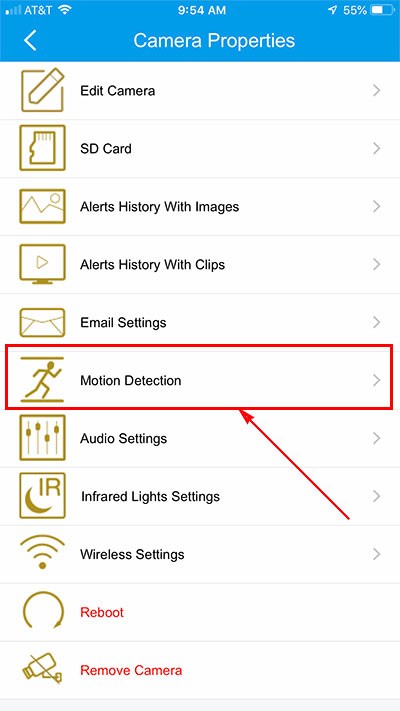
Step3:
Select ‘Motion detection zones’.
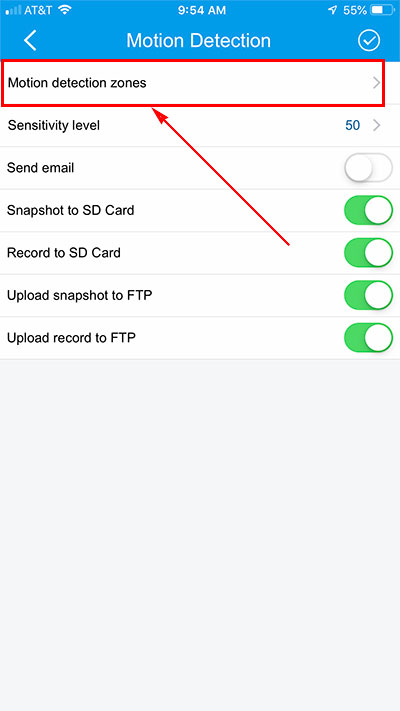
Step4:
1. Make zones.
2. Click the ‘Save’ icon to save the zones.
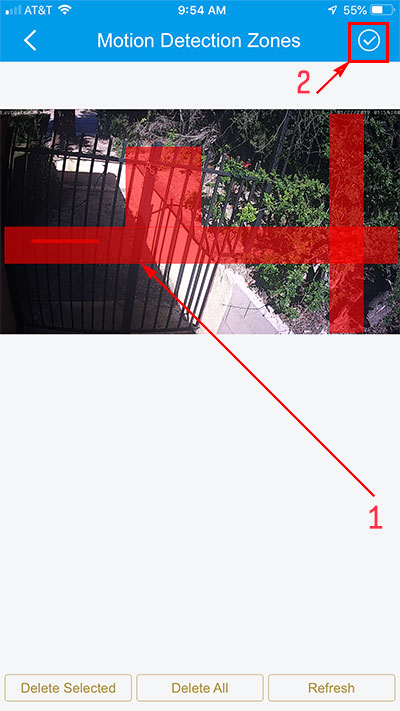
Step5:
Click the ‘Save’ icon on ‘Motion Detection’.
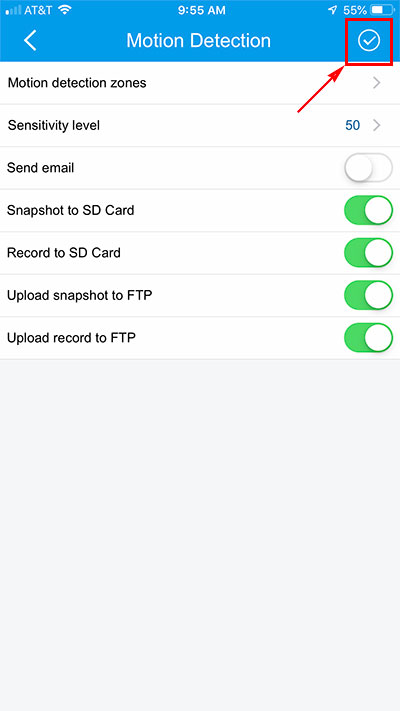
Step6:
Verify that phone notifications are enabled. Go to your phone Settings → Notifications, find Microseven in the app list, and make sure notifications are turned ON.