Skip to content
  • Contact Us
  • warranty
  • Support
    • Firmware
    • Getting Started
    • Camera Setup
    • Cloud Portal
    • CGI API
    • Edge AI
    • Troubleshooting
    • Downloads
    • Enterprise Support
  • User Guides – How-To
  • Docs

How to add camera to SecuritySpy software on Mac

January 18, 2020June 16, 2017 by microseven

How to add a camera to SecuritySpy software on Mac

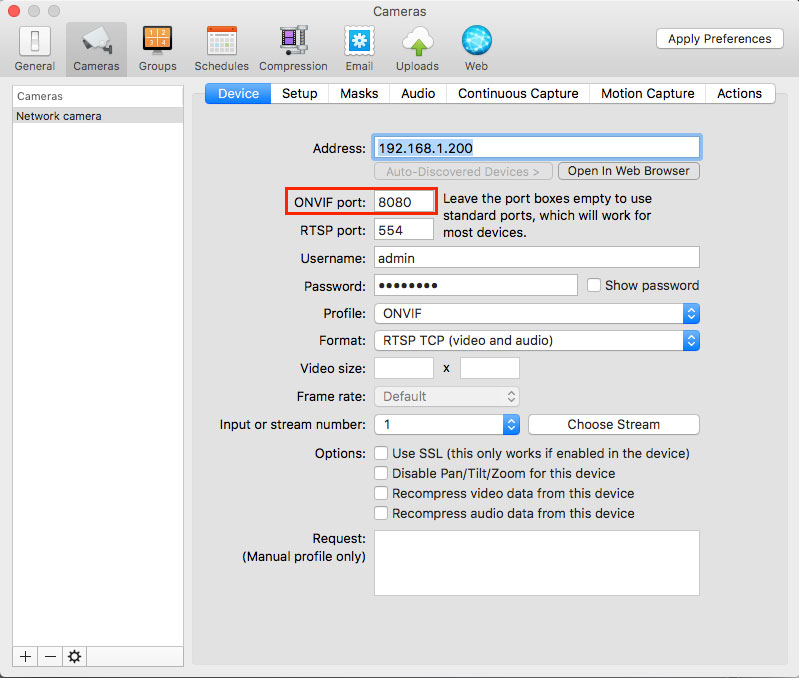
1. Add a camera selecting ONVIF, and enter ONVIF port number 8080 per camera.
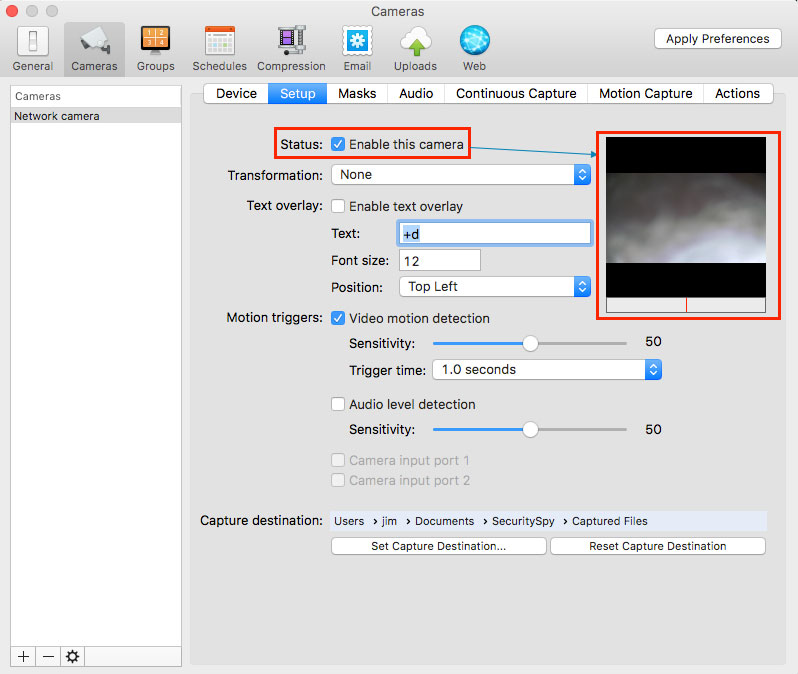
2. Enable the camera.

security spy

Categories How To
How to share Windows10 recorded video clip folder from Mac
How many ports need to open for port forwarding
Microseven® is a registered brand of Microseven Systems LLC.
© 2026 Microseven Systems LLC. All rights reserved.