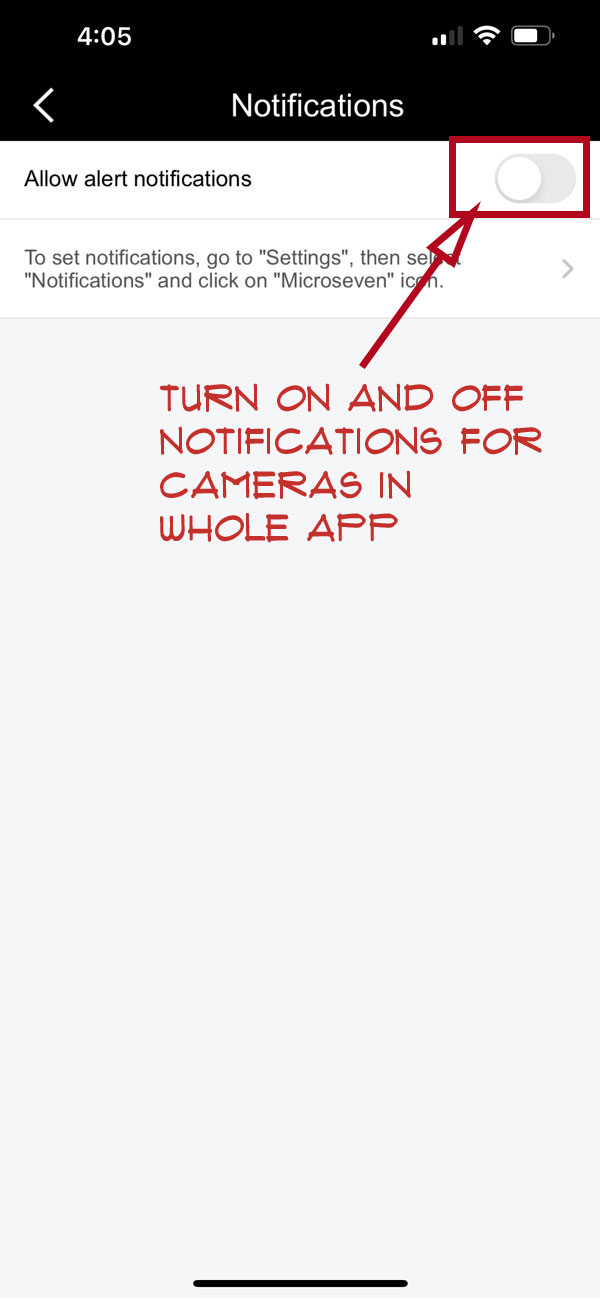
How To Turn On/Off Notifications On The Mobile Device In App
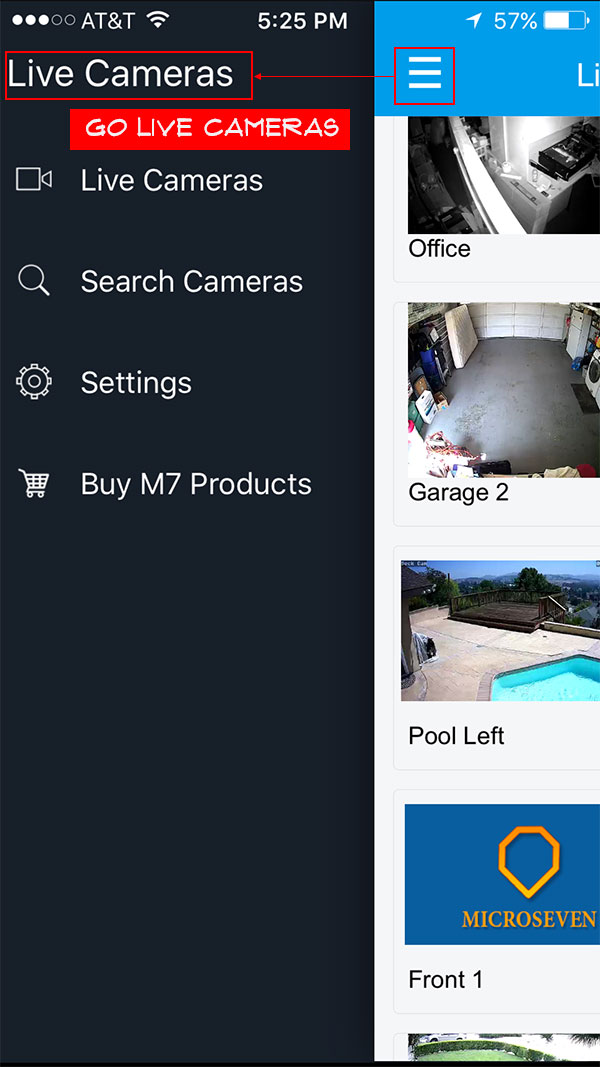
Step 1. Tap on the menu, go to Live Cameras
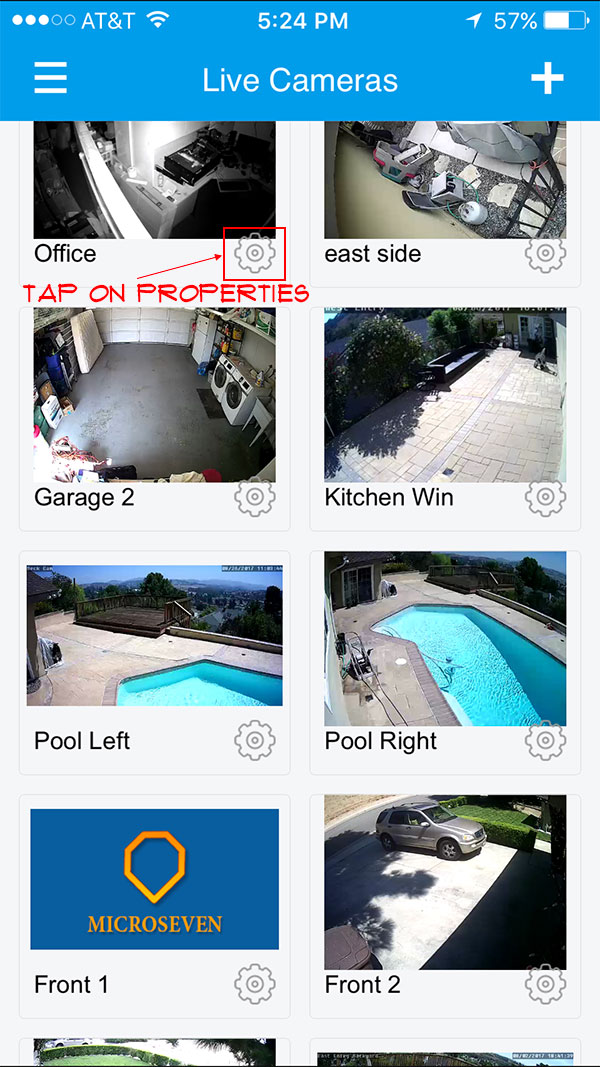
Step 2. Tap on “Camera Properties”
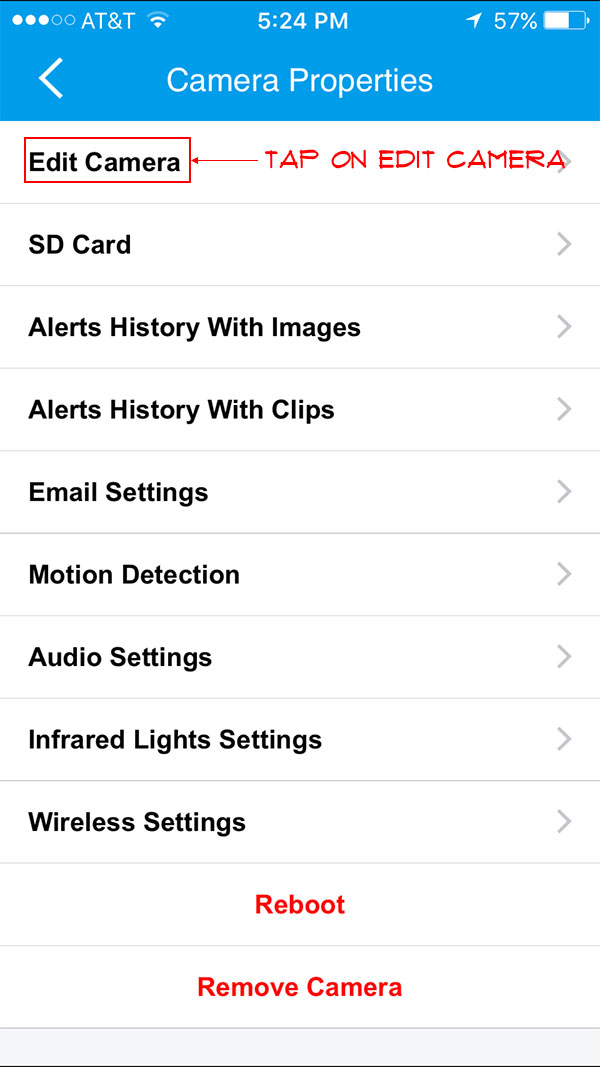
Step 3. Tap on “Edit Camera’
Step 4. Now you can turn on and off to “allow alert notifications”
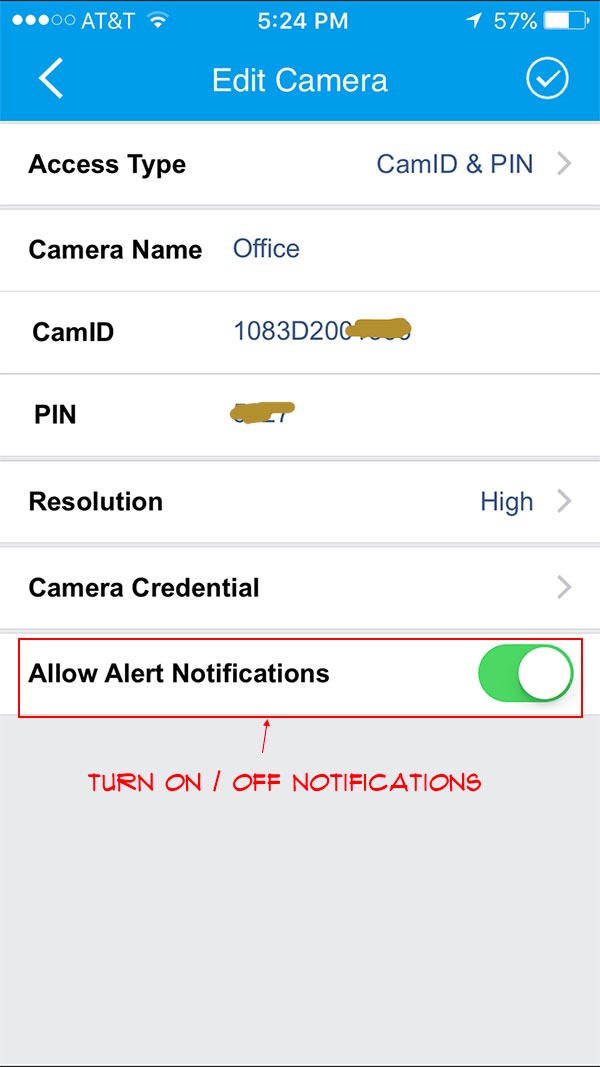
If you want to turn on and off all the cameras in the app, you can do the following steps:
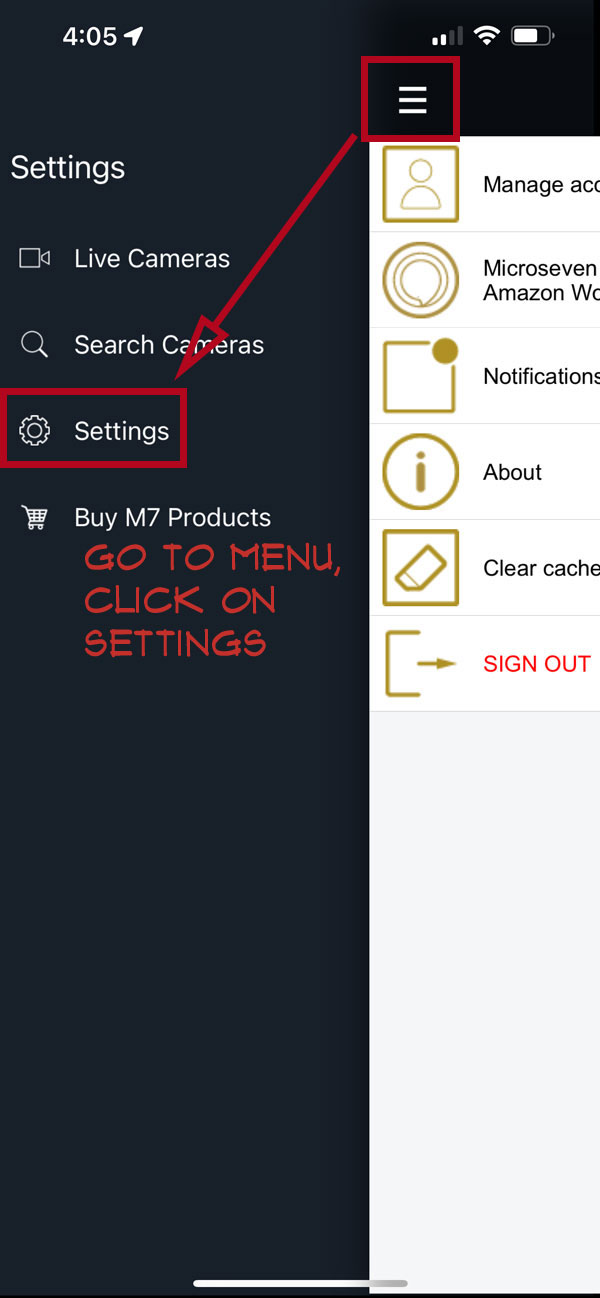
1. Go to menu, and select “Settings”:
2. On the Settings page, click on “Notifications”
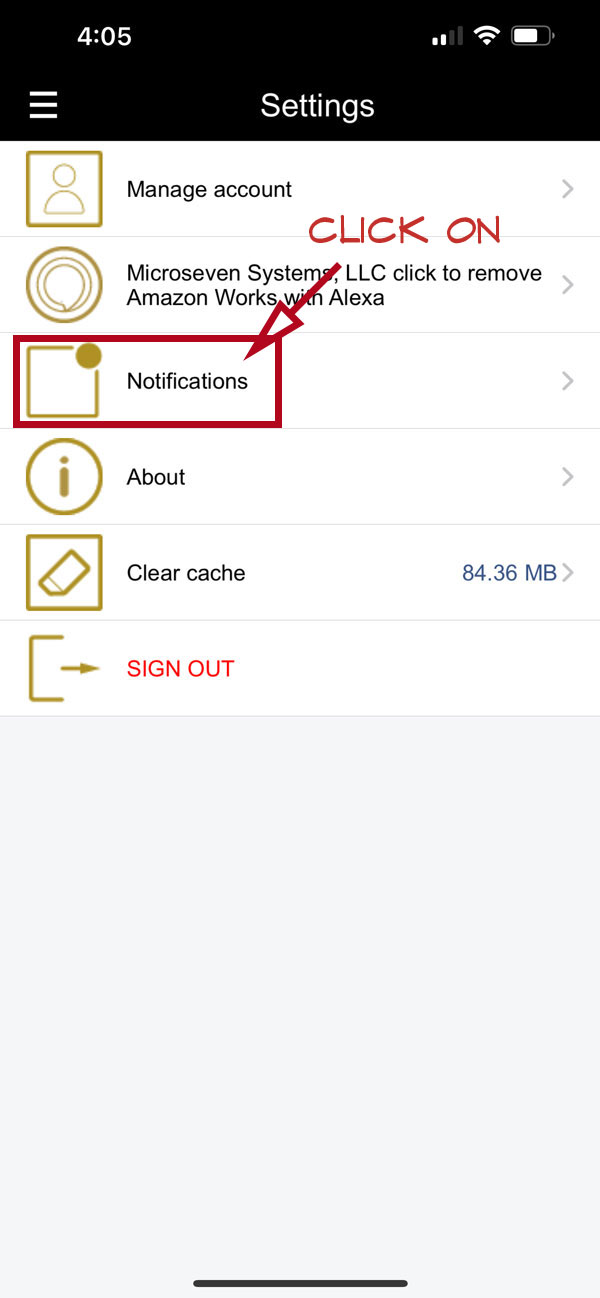
3. At the “Allow alert notifications” field, you can turn on and off the notifications