Skip to content
  • Contact Us
  • warranty
  • Support
    • Firmware
    • Getting Started
    • Camera Setup
    • Cloud Portal
    • CGI API
    • Edge AI
    • Troubleshooting
    • Downloads
    • Enterprise Support
  • User Guides – How-To
  • Docs

How To Remove AD On The Mobile App

January 18, 2020September 9, 2017 by microseven

how to remove AD on the mobile app

Go to the microseven.com site, click on “MY CAMERAS” and select “Remove Mobile App AD”. The AD will be removed permanently after you apply it.
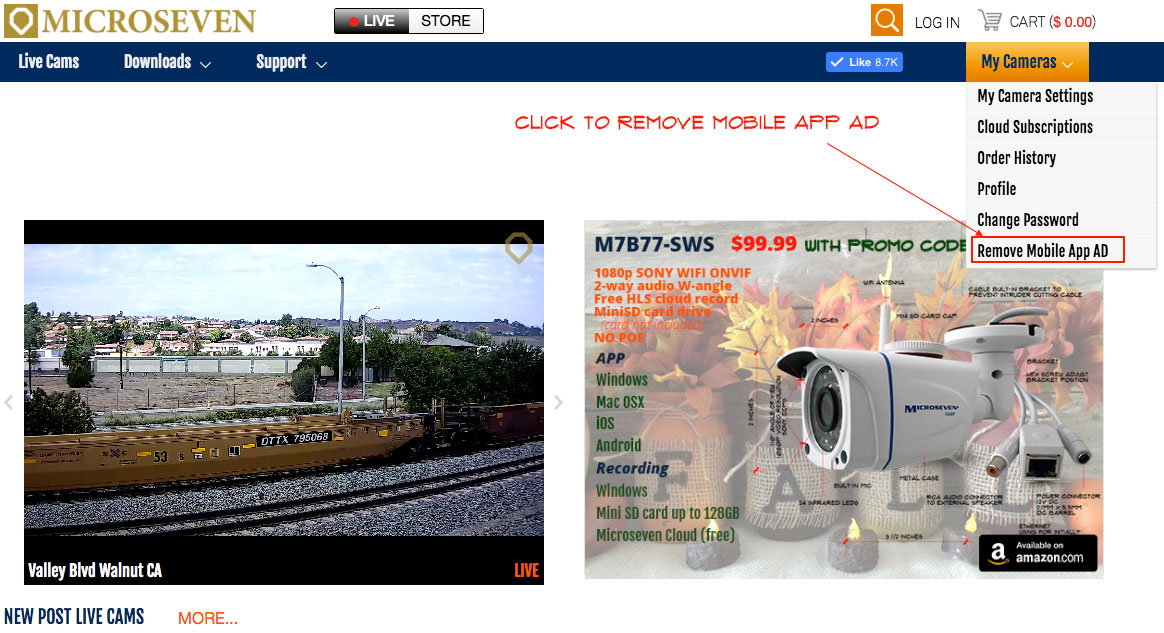

remove mobile app AD

Categories How To
How To Adjust An Angle Of Microseven M7B77 Camera (Not V and V1 Types)
How To Find A CamID On The Mobile App
Microseven® is a registered brand of Microseven Systems LLC.
© 2026 Microseven Systems LLC. All rights reserved.