How to find your camera in your home network (Wifi or Ethernet LAN) via Cam Locator?
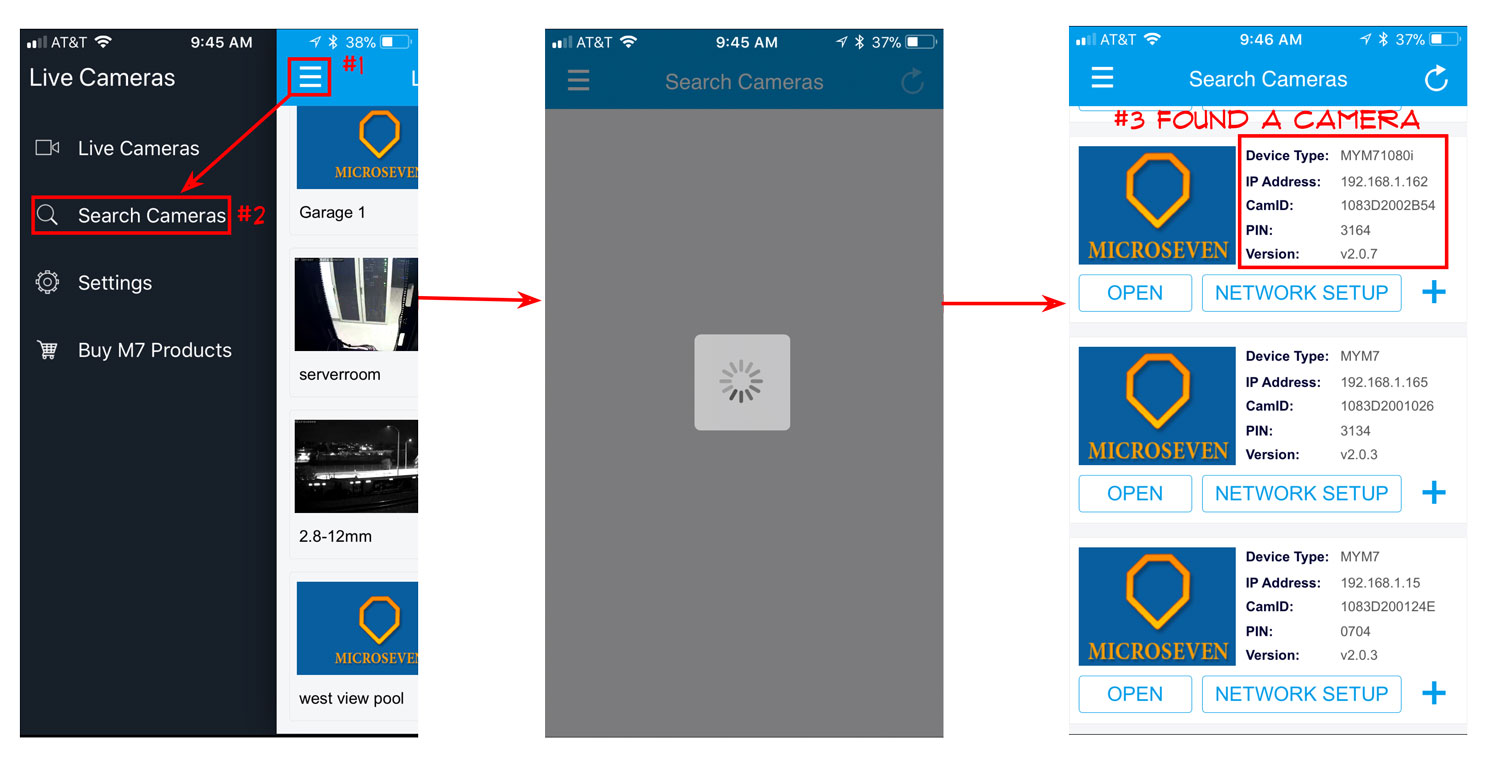
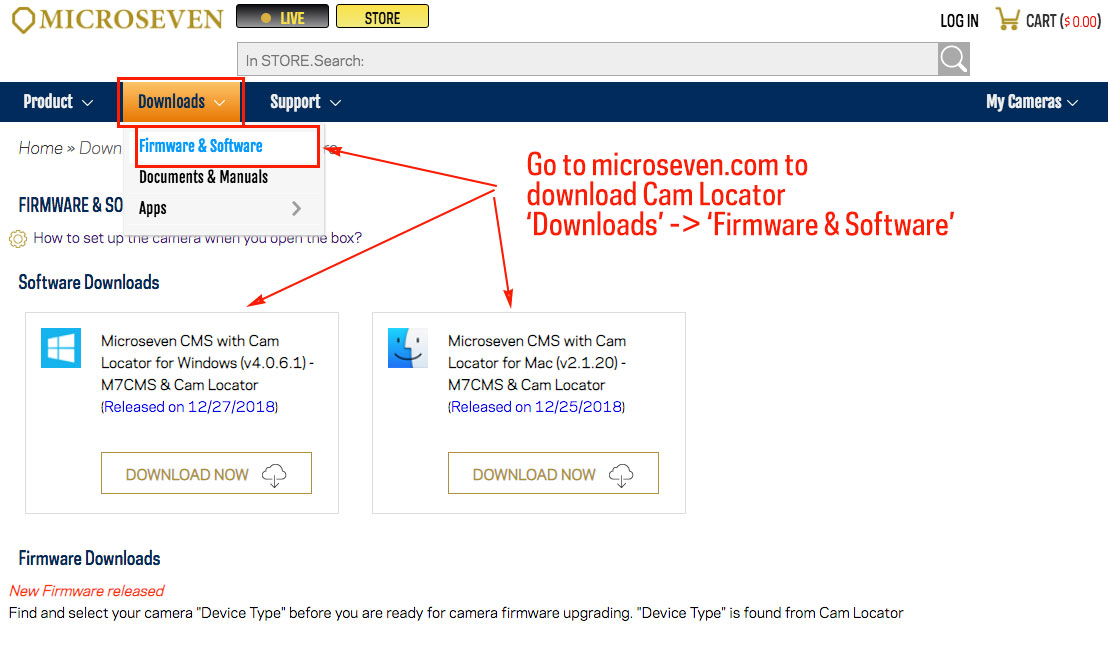
Step1: Download the Cam Locator software from microseven.com. Go to ‘Downloads’, select ‘Firmware & Software’ to download the software, choice your software version for Windows or macOS. You can go to the App or Google Play store to download the app. The Cam Locator is built in the app.
Step2: Use Cam Locator on the computer,
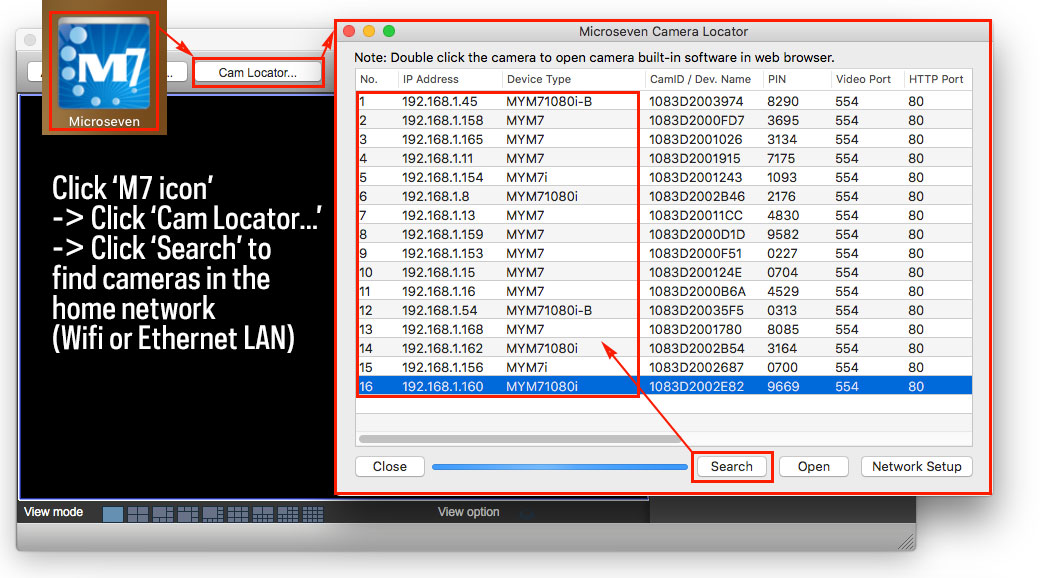
a) How to use the Cam Locator on the macOS?
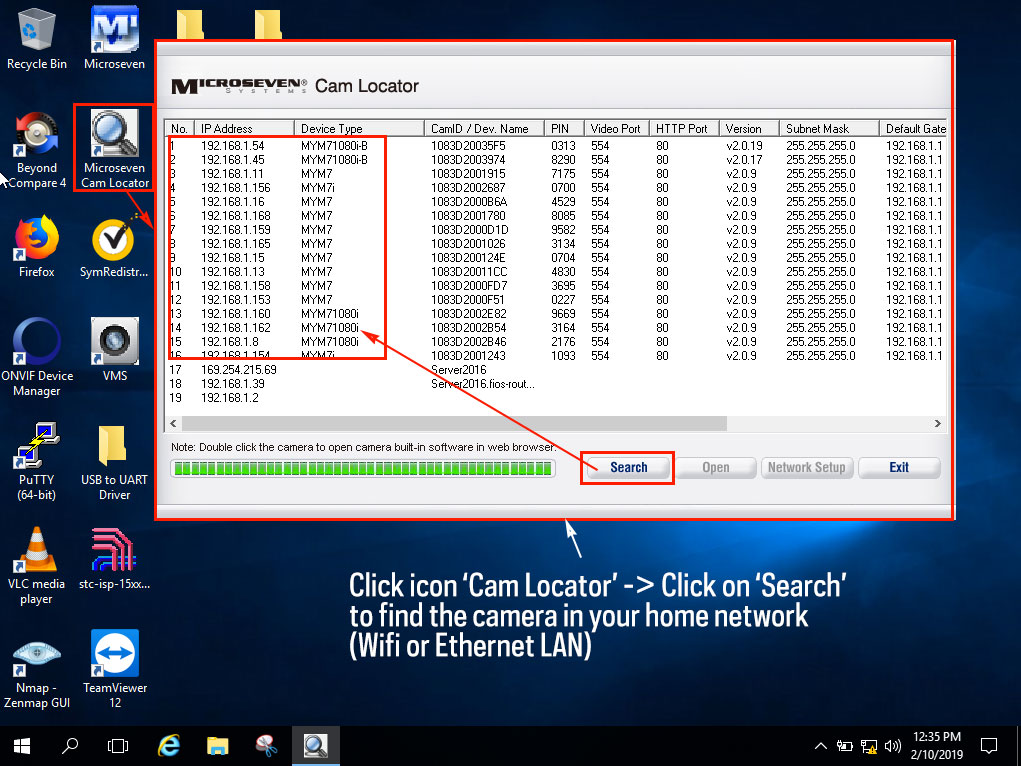
b) How to use the Cam Locator on the Windows?
Step3: How to use the Cam Locator on the phone’s app?