How to make a payment in your portal?
1) Go to https://www.microseven.com.
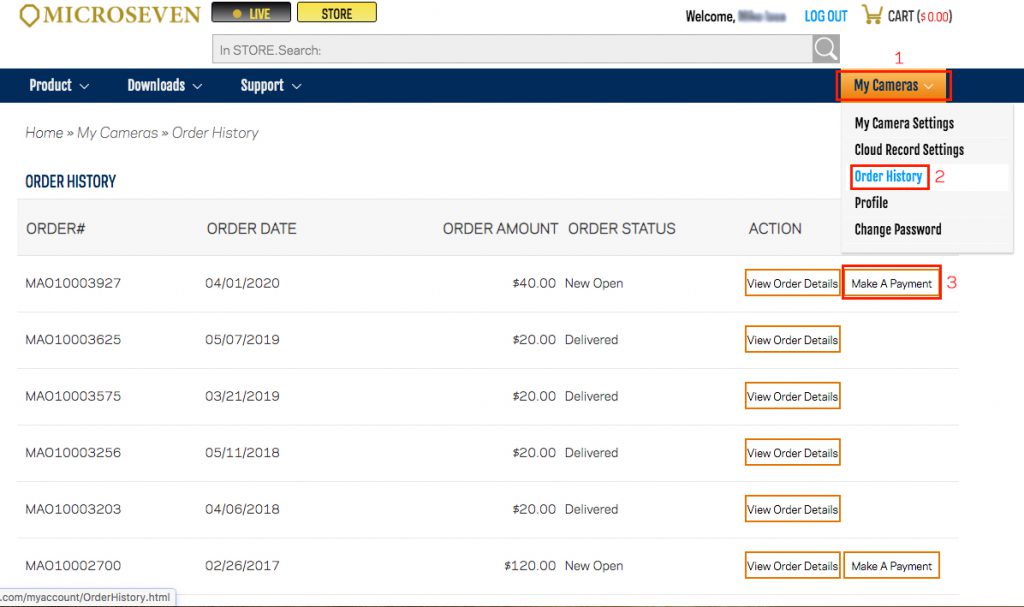
2) After you log in to your portal, you will go menu ‘MY Cameras,’ ‘Order History,’ then on the Order History page, click on ‘Make a payment.’ Follow the page one step by one step to complete the payment.