How to block the timestamp control from the NVR ONVIF?
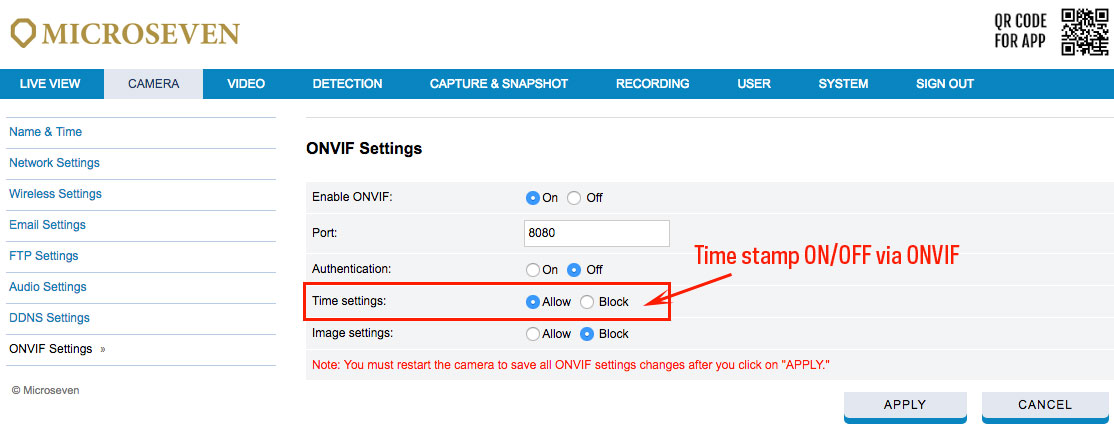
Go to menu CAMERA-> ONVIF Settings, you can select ‘Allow’ or ‘Block’ from ONVIF NVR timestamp controller and click ‘APPLY’ to save the settings. Then you have to restart the camera.

How to block the timestamp control from the NVR ONVIF?
Go to menu CAMERA-> ONVIF Settings, you can select ‘Allow’ or ‘Block’ from ONVIF NVR timestamp controller and click ‘APPLY’ to save the settings. Then you have to restart the camera.