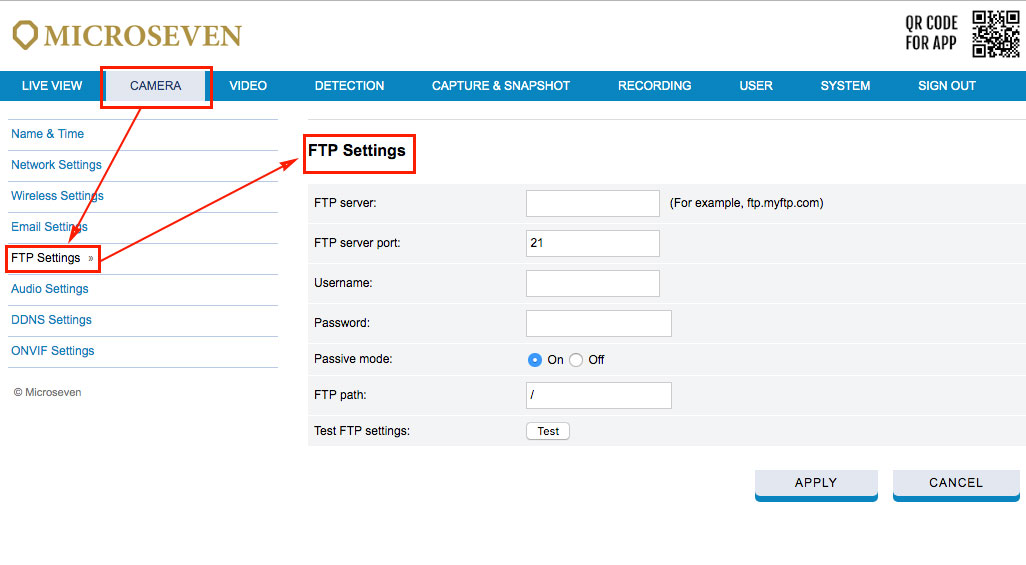
How to use the FTP to push the image to the FTP server?
How can the same file name be kept while FTPing an image to the FTP server?
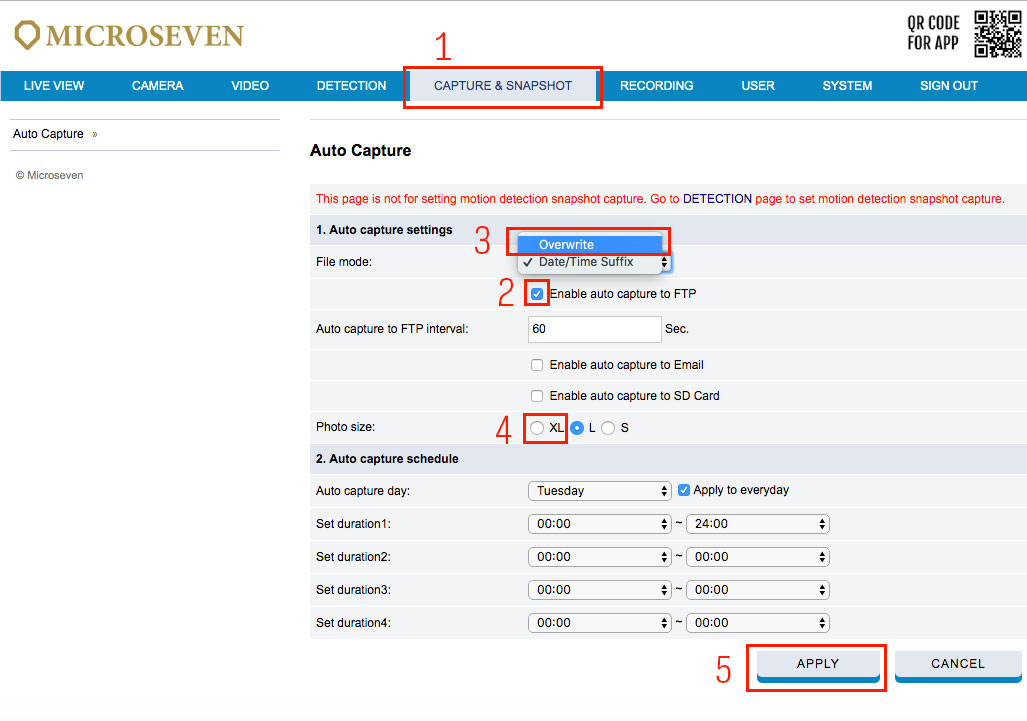
Step1 Go to menu ‘CAPTURE& SNAPSHOT’.
Step2 Enable auto capture to FTP.
Step3 Select ‘File mode’ to ‘Overwrite’.
Step4 Select ‘XL’ if you want the largest image to the FTP server.
Step5 Click ‘APPLY ‘
Note: If required, you must set up a time frame for the images uploaded to the same public, free FTP servers.