Here is how to change username and password in a camera:
Find the camera IP address and open it in the browser.
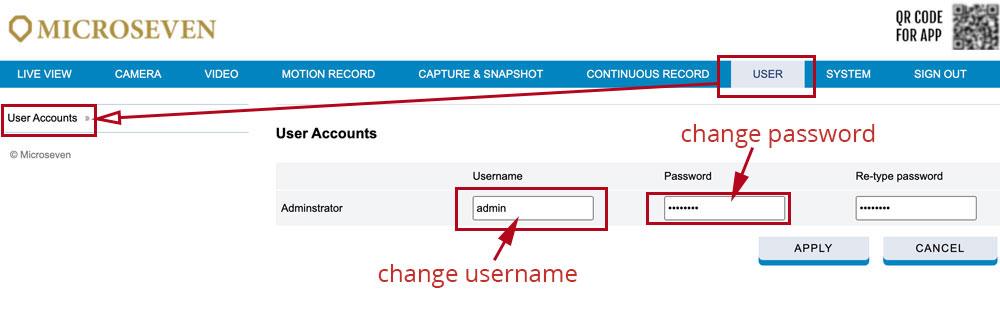
Go to USER -> User Accounts to change the information and click APPLY to save the configuration.

Here is how to change username and password in a camera:
Find the camera IP address and open it in the browser.
Go to USER -> User Accounts to change the information and click APPLY to save the configuration.