
How to retrieve clips from microSD card
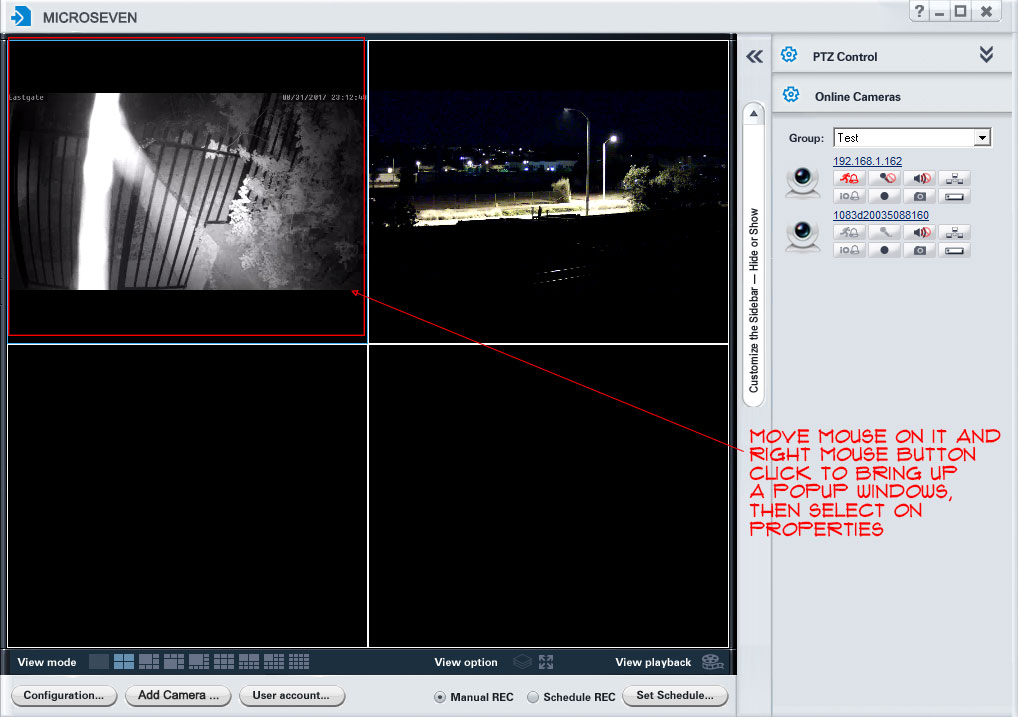
Step 1. Open Microseven CMS, you have set up video ready in CMS. Then you will select a video, move the mouse on it. Do right mouse button click to bring up a popup window (camera properties window)
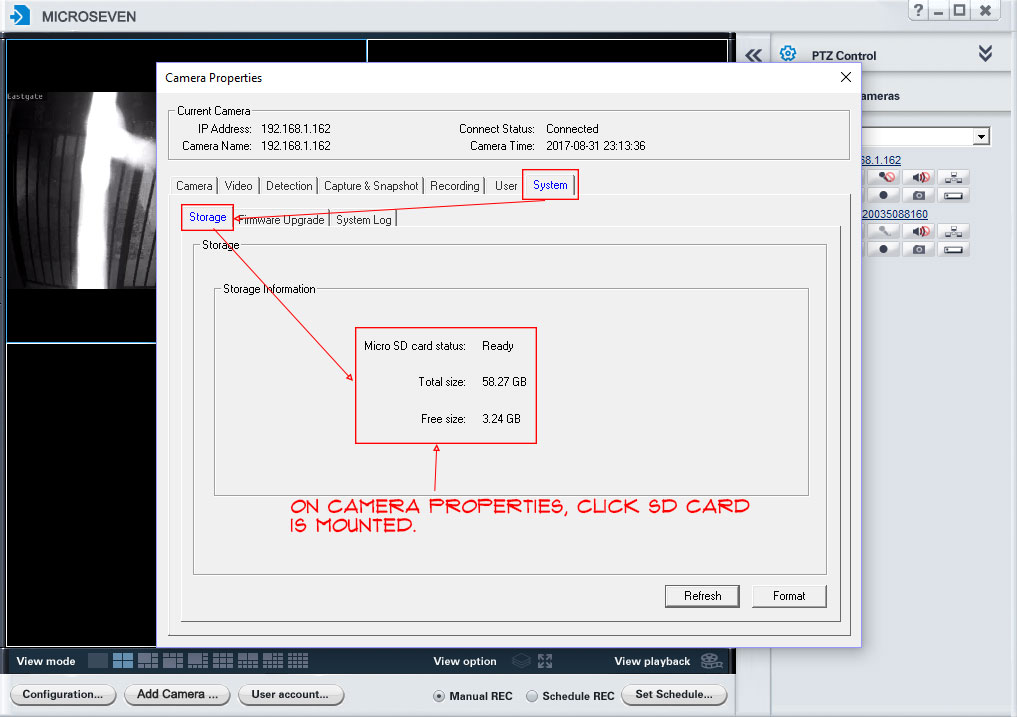
Step 2. Check if the camera has a microSD card in it.
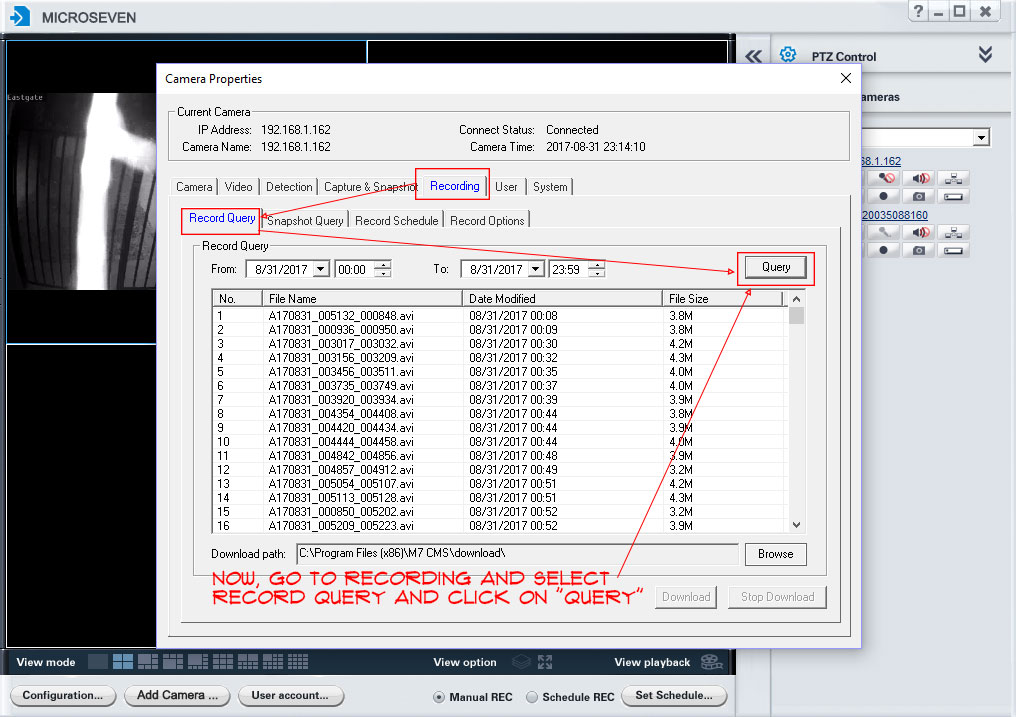
Step 3. Go to “Recording” and “Record Query”, then click on “Query”.
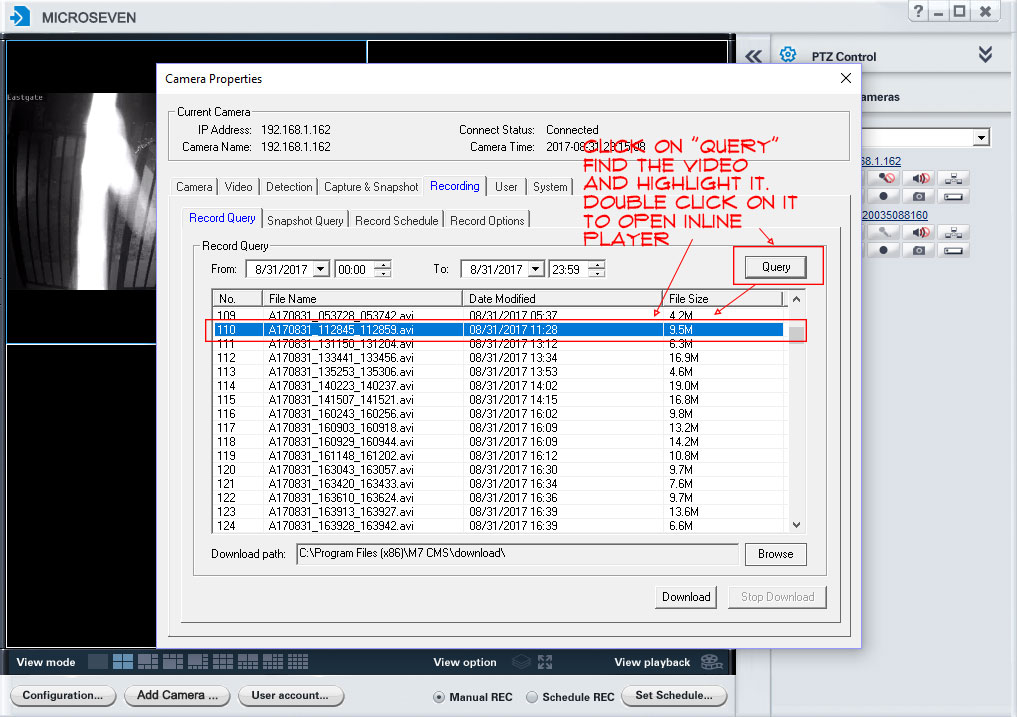
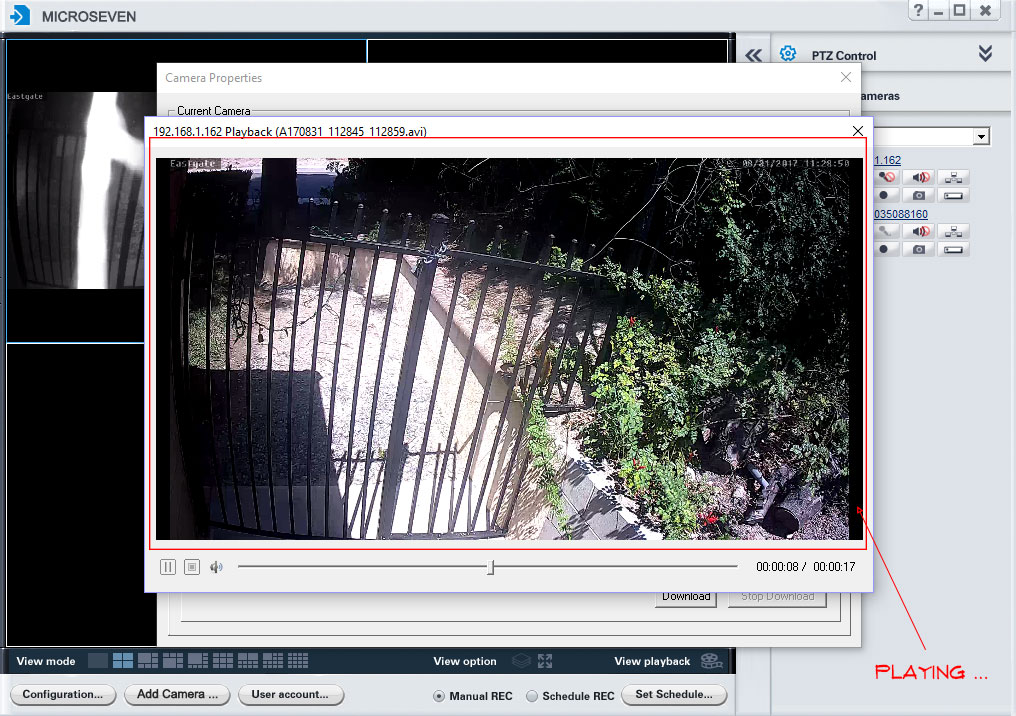
Step 4. Find a clip, highlight it, and double click on the clip to bring up an inline playback video clip in the inline player.
Step 5. An inline player is playing clips.
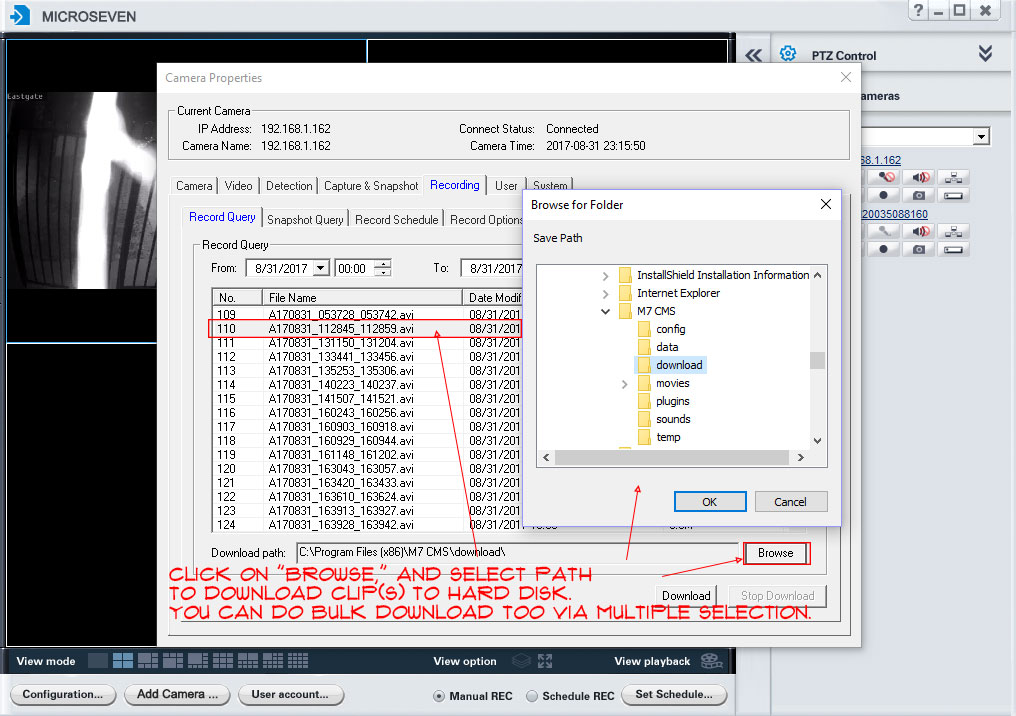
Step 6. You can choice download a clip or all clips from a camera to your PC.
I followed the steps above to get clips from the SD card but the “Query” run came up empty. The CMS version is 5.0.0.23 and SD card is present and shows on Storage tab. Any idea…?
Is the microSD card brand new? If you have any inquiries, feel free to reach out to our tech support team. They will provide assistance and answer any questions you may have.
Thanks. It’s not brand new, I could see the .avi clips on the SD card when look on mobile app. But not fr https://uploads.disquscdn.com/images/63ac66c816ebb184c9e487063d15a9476c8b03b6083bc531e48ce4d387afcdff.jpg om the computer.
I am having the same problem. All cameras are MYM75MP-HX and the query button doesnt return anything. I need to go to the camera and download the .avi manually and play them one by one.
Cam firmware is v1.0.10
Using an IP address in the Microseven software, you can play inline queries on the same camera. Can you find the list of videos?