Skip to content
  • Contact Us
  • warranty
  • Support
    • Firmware
    • Getting Started
    • Camera Setup
    • Cloud Portal
    • CGI API
    • Edge AI
    • Troubleshooting
    • Downloads
    • Enterprise Support
  • User Guides – How-To
  • Docs

How To Hide Left Pane Menu On NVR Monitor Screen

January 19, 2020March 29, 2019 by microseven

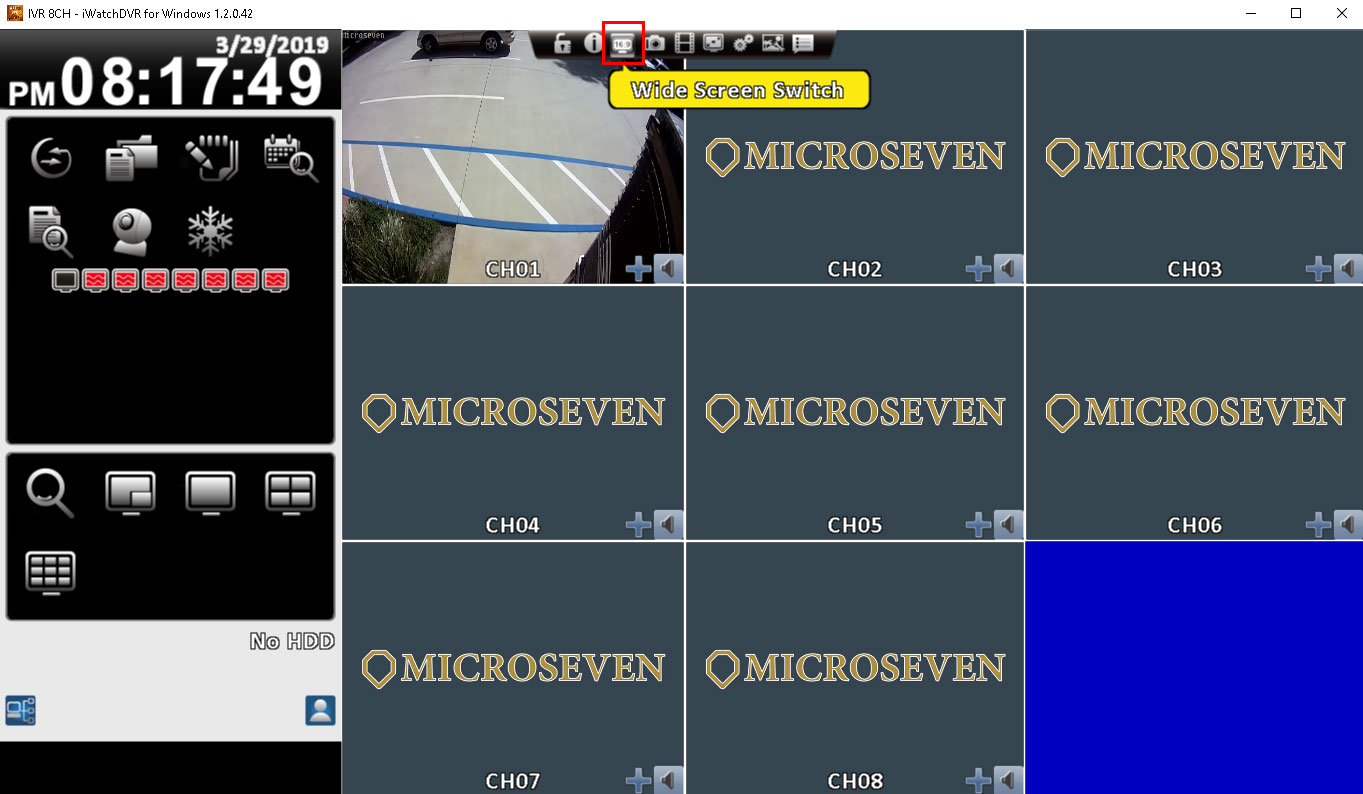
How to hide the left pane menu on the NVR monitor screen?

You will go to use the mouse select 16:9 or 4:3 to switch on/off the left pane menu.
 

Categories How To
How To Prevent 24/7 Recording On A MicroSD Card
How To Adjust NVR Timestamp
Microseven® is a registered brand of Microseven Systems LLC.
© 2026 Microseven Systems LLC. All rights reserved.
