How to make and schedule the NVR (version 2.0) auto reboot?
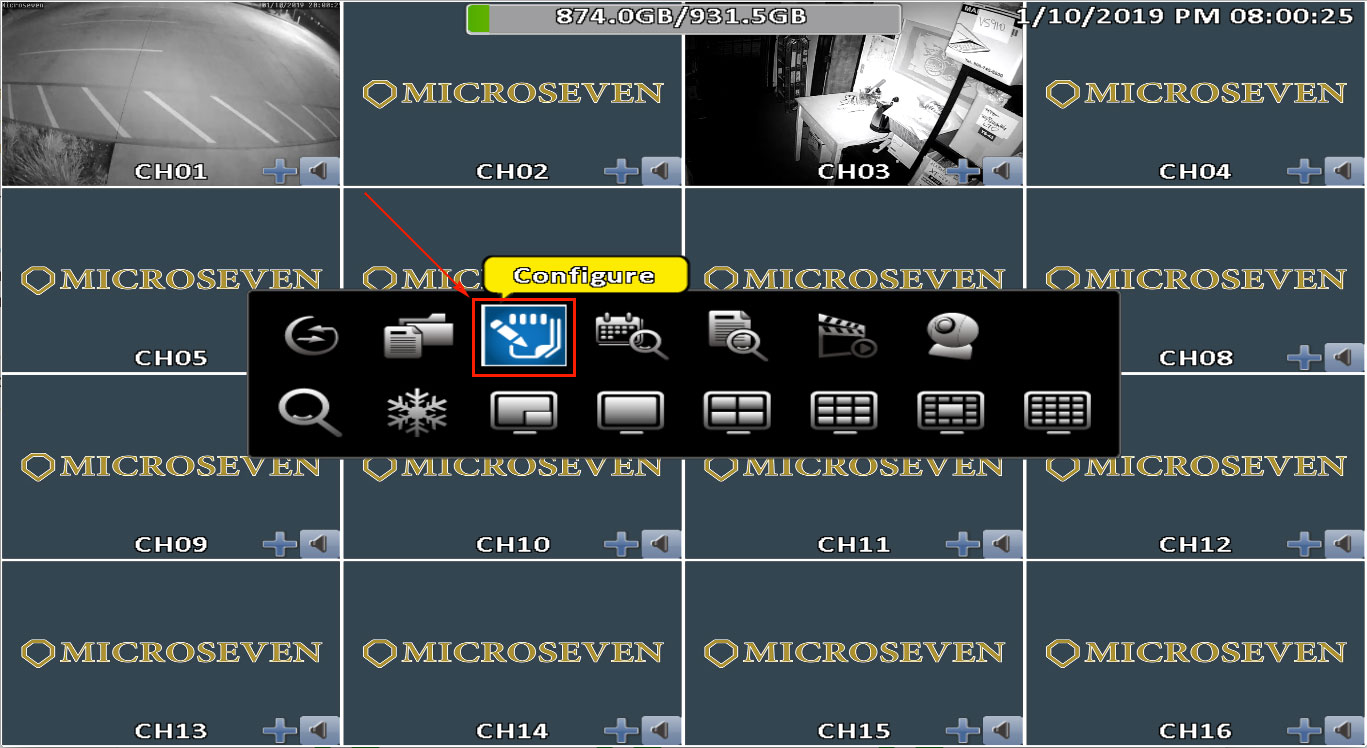
1) Use the mouse right button click on the screen to bring up a pop-up menu. Then click ‘Configure.’
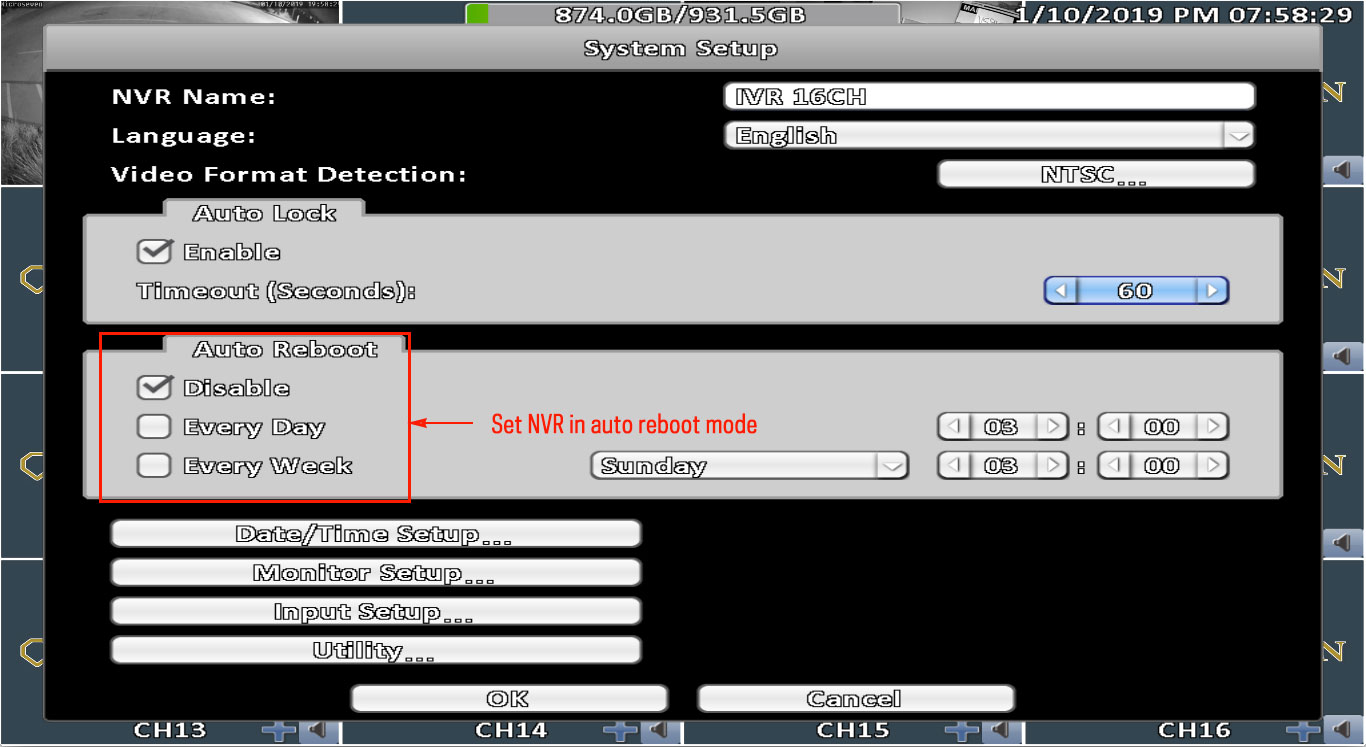
2) Once the ‘System Setup’ window is opened. Select the ‘Auto Reboot’ mode option.

1) Use the mouse right button click on the screen to bring up a pop-up menu. Then click ‘Configure.’
2) Once the ‘System Setup’ window is opened. Select the ‘Auto Reboot’ mode option.