
1. Hardware to reset a camera
2. Reset a camera using a Windowscomputer (software reset)
3. Reset a camera using a Mac computer (software reset)
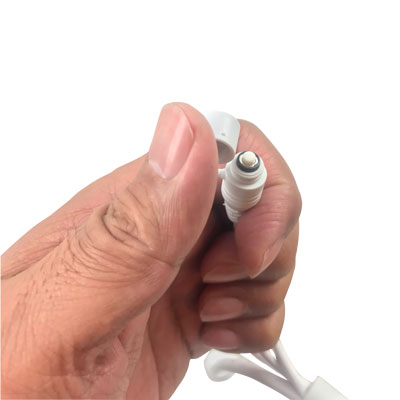
1. Hardware to reset a camera:
Hold the reset button on the camera’s harness for about 20 seconds until you hear a pop if you have the camera’s speaker.
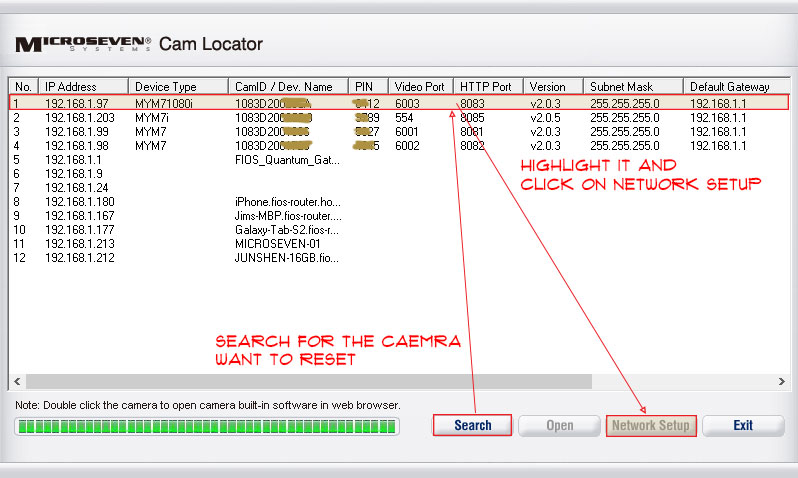
2. Reset a camera using a Windows computer (software reset):
Step 1: In the Cam Locator, search for the camera you want to reset, highlight it, and click the network setup button.
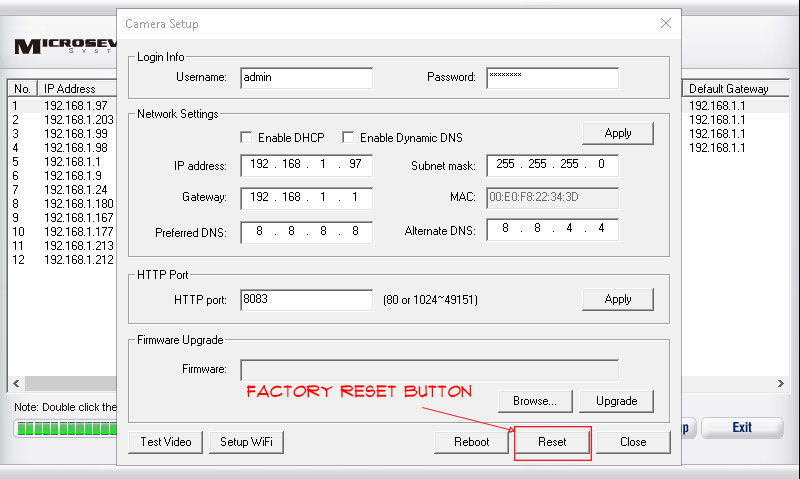
Step 2: A camera setup window pops up. Click the Reset button to perform a factory reset.
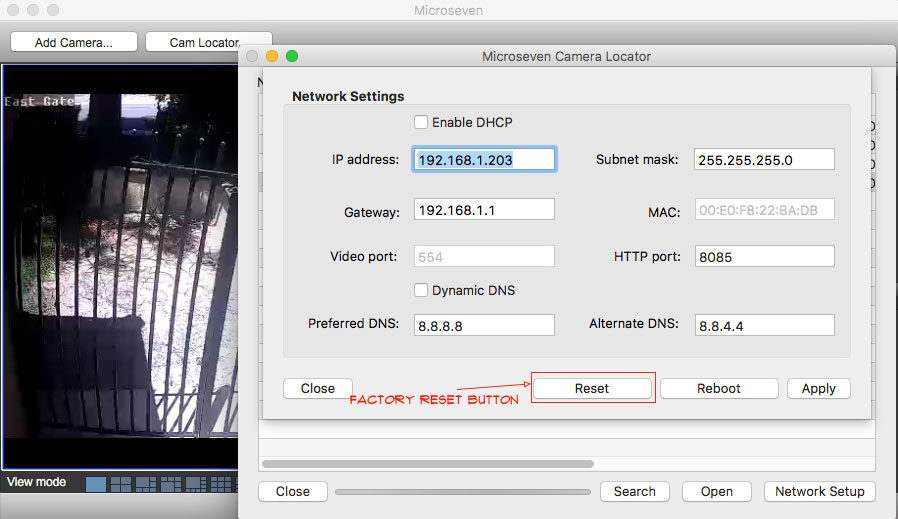
3. Reset a camera using a Mac computer (software reset):
Step 1: Search for the camera you want to reset, highlight it, and click on the network setup button.
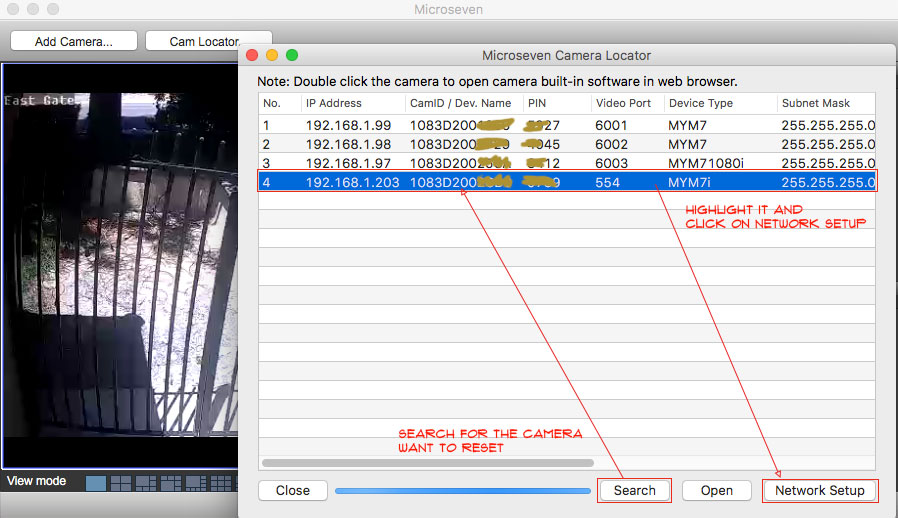
Step 2: A camera setup window pops up. Click on the Reset button to do a factory reset.
The factory camera ID credential is
CAM login: admin
CAM login password: password