
The YouTube go live post to YouTube; the camera requires the latest firmware.
Firmware download and upgrade information is available at microseven.com.
1. Go to your YouTube account and select ‘Go live.’

2. Select the STREAM.

3. Get the ‘Server URL’ and ‘Stream name/key’ from YouTube.

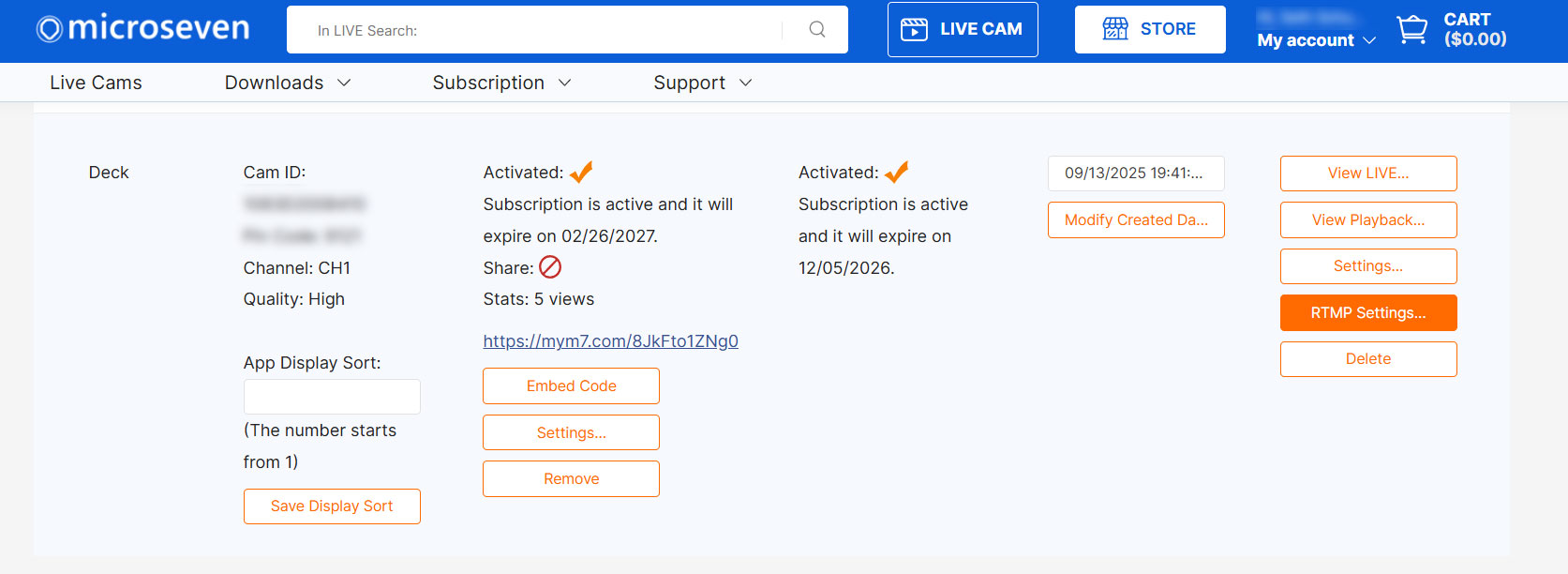
4. Go to microseven.com, your portal. Then click on ‘RTMP Settings…’ to go live on YouTube.
5. Post the YouTube URL and Key to the microseven portal on the camera that you want to go live on YouTube.
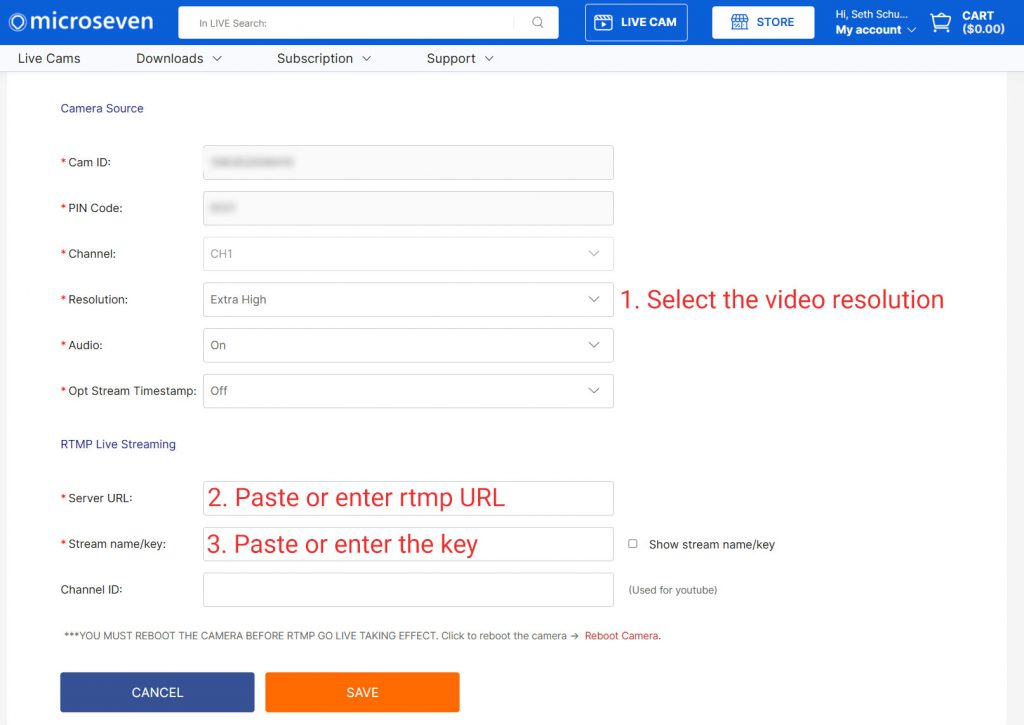
6. Reboot the camera and go live on YouTube.
You must reboot the camera after you finish the four steps.
Click on ‘Reboot Camera’ to reboot the camera remotely.

7. You can make a comment below for troubleshooting and answering your questions.