Skip to content
  • Contact Us
  • warranty
  • Support
    • Firmware
    • Getting Started
    • Camera Setup
    • Cloud Portal
    • CGI API
    • Edge AI
    • Troubleshooting
    • Downloads
    • Enterprise Support
  • User Guides – How-To
  • Docs

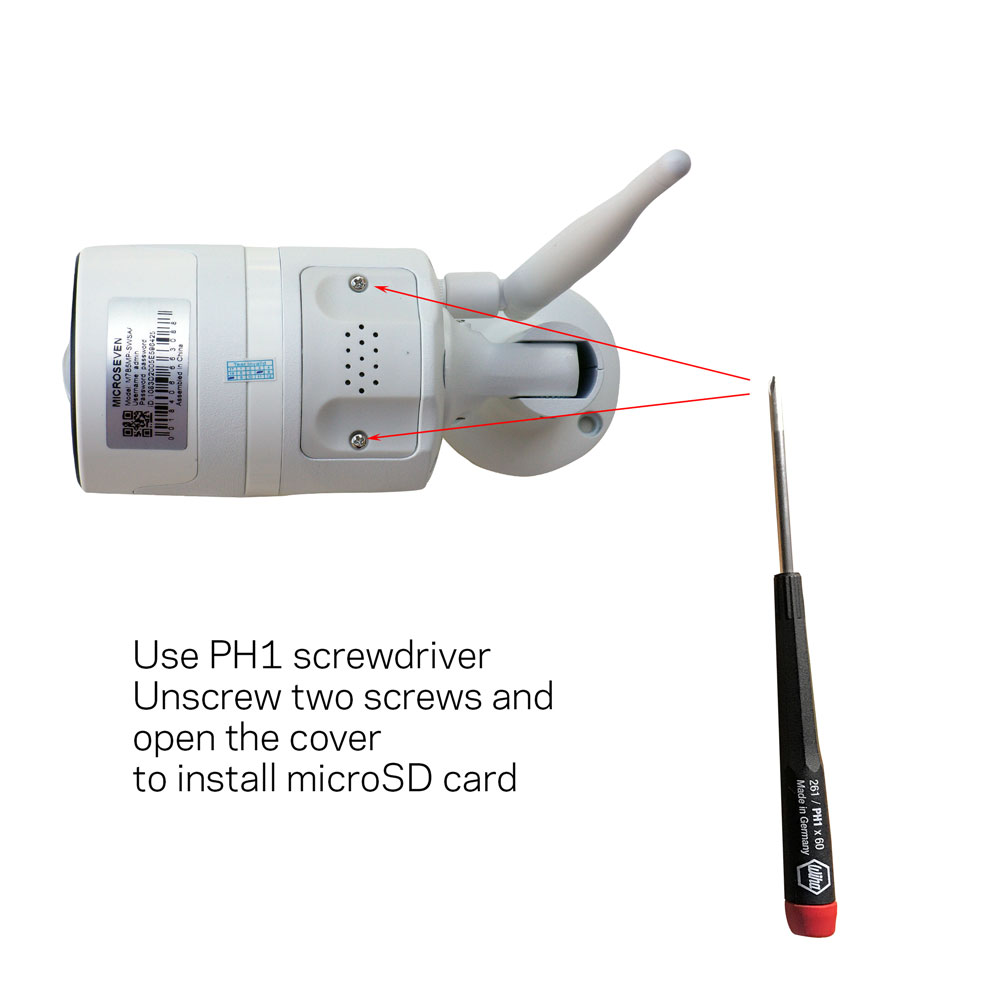
How To Install MicroSD Card In The M7B5MP-SWSAA For FTP Alert Clip

July 29, 2019 by microseven

Use PH1 screwdriver. Unscrew two screws and open the cover to install microSD card. The size of the microSD card can be from 8GB to 128GB.

Categories How To
The New Android 64bit App Not Support Old Android Device And Download The Latest 32bit Version App
Angle of View
Microseven® is a registered brand of Microseven Systems LLC.
© 2026 Microseven Systems LLC. All rights reserved.